PSA: Bicep templates run in parallel

I had a problem recently where my Bicep templates were failing with an obscure error message:

The incoming request is not recognized as a namespace policy put request.

The Bicep in question was attempting to assign an Azure Service Bus topic subscription’s forwardTo to another queue.

I had ordered everything in the Bicep file correctly, i.e.

  1. Create the topic
  2. Create its subscriptions
  3. Create the queues
  4. Tell the topic subscription to forward messages to the queue

However, when I looked at the Deployments in the Azure Resource Group, it appeared that they weren’t running in the order I had specified:
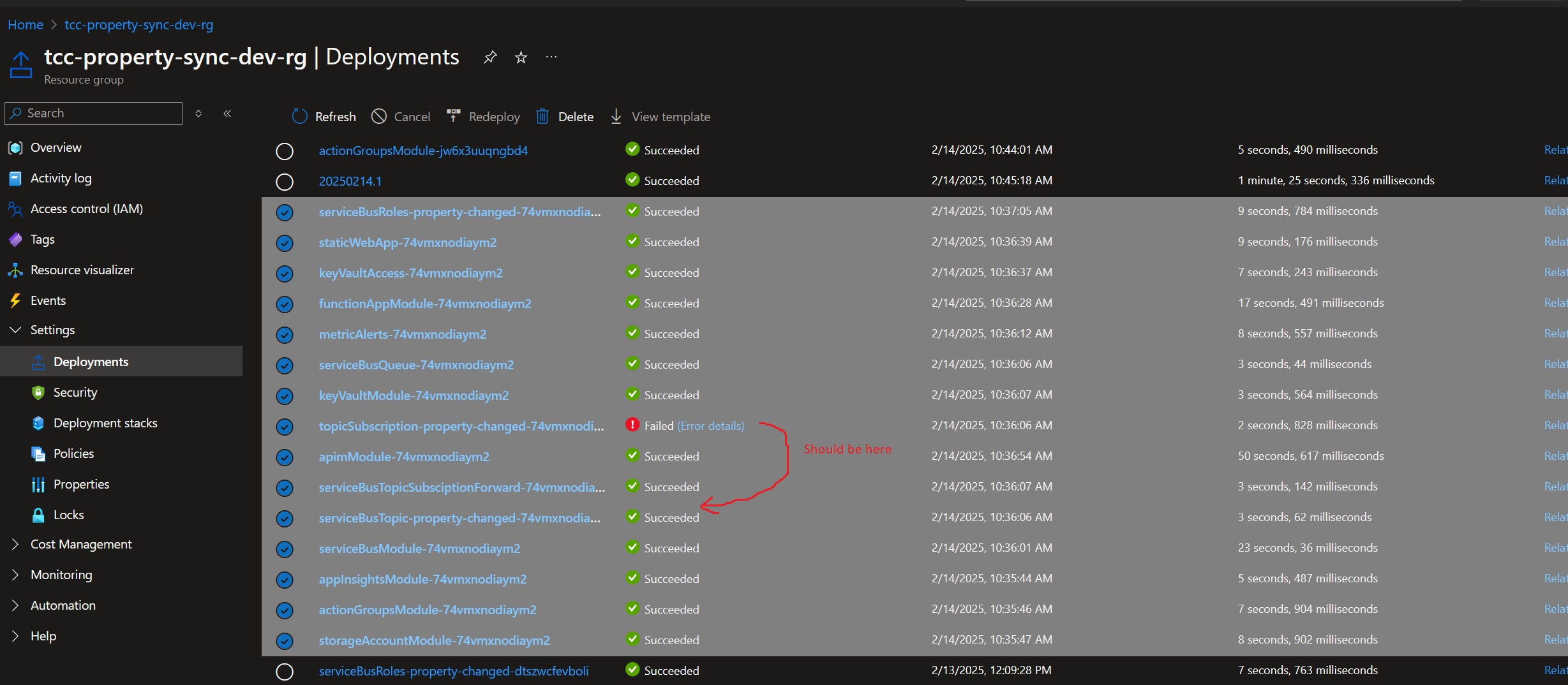
This is because by default Bicep templates will run in parallel, unless it detects dependencies. And because my templates were a bit too clever with variables and modules, Bicep was unable to detect my implicit dependencies.

The fix then was to be explicit with my dependencies, using the dependsOn keyword:

// create service bus topics And subscriptions
param topicsAndSubscriptions array = [
  {
	topicName: 'property~changed~v1'  // ~ is what Azure uses for a forward slash, so this topic is actually property/changed/v1
	sanitizedName: 'property-changed' // Azure doesn't like ~ or / in deployment names.
	subscriptions: [
	  'ozone'
	  'valor'
	]
  }
]

module serviceBusTopicsModule './serviceBusTopic.bicep' = [for item in topicsAndSubscriptions : {
  name: 'serviceBusTopic-${item.sanitizedName}-${deploymentNameSuffix}'
	params: {
	serviceBusName: serviceBusModule.outputs.serviceBusOutput.name
	topicName: item.topicName 
  }
}]

module topicsSubscriptionModule 'serviceBusTopicSubscription.bicep' = [ for item in topicsAndSubscriptions: {
  name: 'topicSubscription-${item.sanitizedName}-${deploymentNameSuffix}'
  params: {
	serviceBusName: serviceBusModule.outputs.serviceBusOutput.name
	topicName: item.topicName
	subscriptions: item.subscriptions
  }
  dependsOn: serviceBusTopicsModule
}]

// Create service bus queues
param queueSettings array = [
	{	
		name: 'ozone-property-changed-sbq'
		requiresDuplicateDetection: true
	}
	{
		name: 'valor-property-changed-sbq'
		requiresDuplicateDetection: false
	}
]

module serviceBusQueueModule './serviceBusQueue.bicep' = {
  name: 'serviceBusQueue-${deploymentNameSuffix}'
  params: {
	serviceBusName: serviceBusModule.outputs.serviceBusOutput.name
	queueSettings: queueSettings
  }
}

module serviceBusTopicSubsciptionForwardModule './serviceBusTopicSubscriptionForward.bicep' = {
  name: 'serviceBusTopicSubsciptionForward-${deploymentNameSuffix}'
  params: {
	serviceBusName: serviceBusModule.outputs.serviceBusOutput.name
	topicName: 'property~changed~v1'
	subscriptionName: 'valor'
	queueName: 'valor-property-changed-sbq'
  }
  dependsOn: [serviceBusQueueModule, topicsSubscriptionModule]
}
Bicep – How to include a forward slash / in an Azure Service Bus Topic name

An architect at my current client insisted that we rename our Azure Service Bus topic from property-changed to property/changed/v1, to align with some naming convention.

Unfortunately, Bicep doesn’t like forward slashes / in names. And neither does the Azure portal. If you create a new topic named say matt/test in the Azure Portal, Azure will give it the name matt~test.

So, that’s how you do it in Bicep too – replace / with ~, like so:

resource serviceBus 'Microsoft.ServiceBus/namespaces@2021-11-01' existing = {
  name: serviceBusName
}

resource topic 'Microsoft.ServiceBus/namespaces/topics@2022-10-01-preview' = {
  parent: serviceBus
  name: property~changed~v1
  properties: {
  }
}

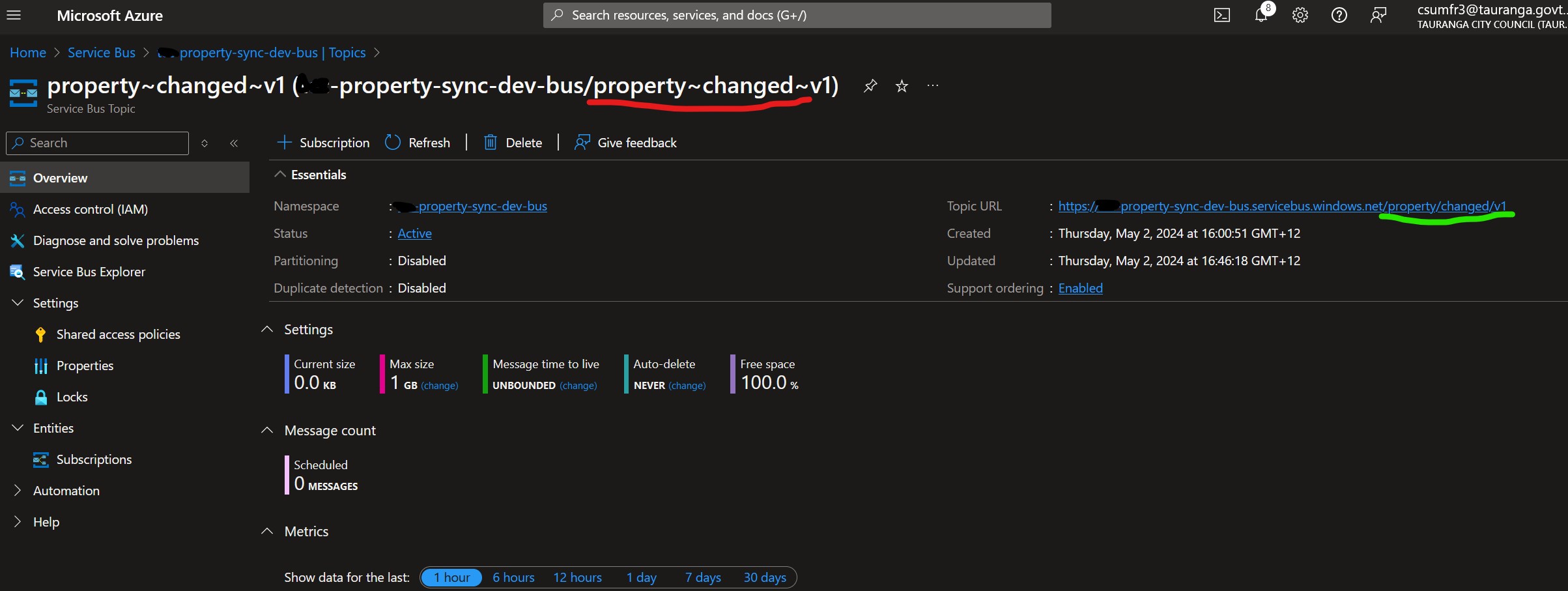
Unfortunately, this looks odd in the Azure portal, but we can see that it does have the correct URL with slashes:
Azure portal showing a topic

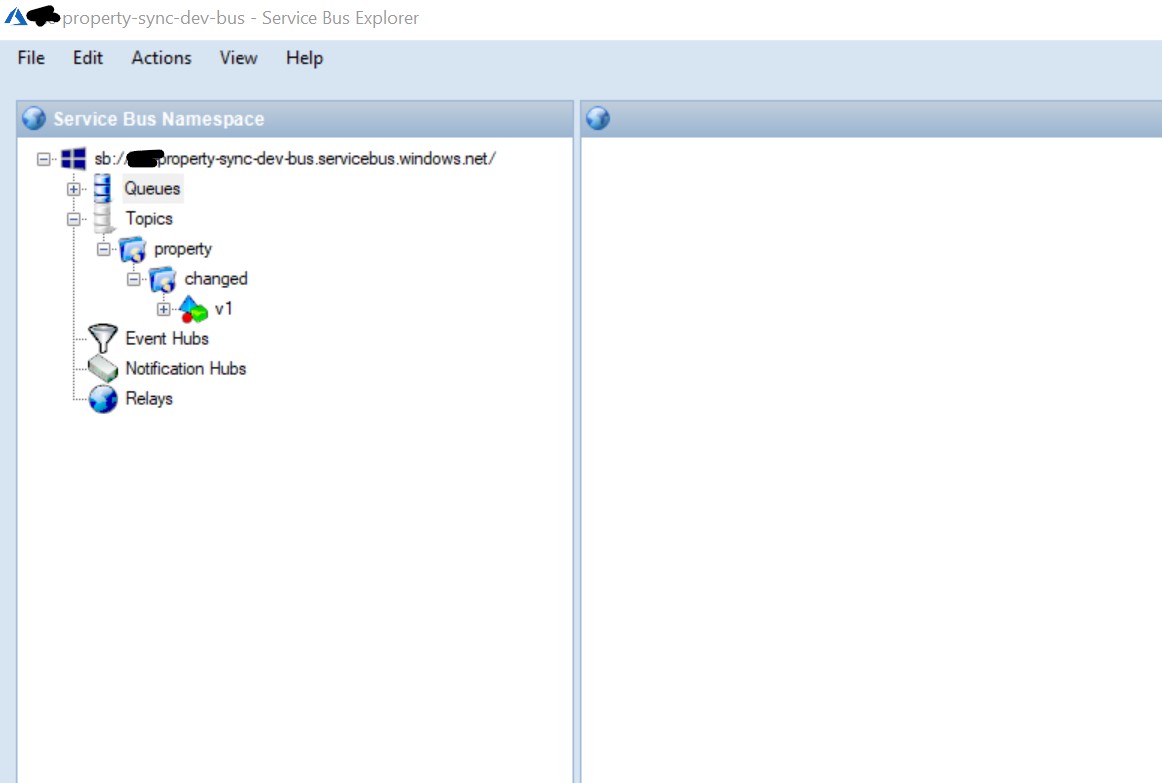
And ServiceBusExplorer.exe helpfully renders it as a folder structure:
service bus explorer

Operation references schema that does not exist.

I was getting the above error while trying to deploy Bicep templates for an Azure API Management API.

Specifically, I was trying to use the validate-content policy to validate the JSON schema of the request body.

I had this to define my API’s operation (i.e. endpoint):

resource CreateRatingUnitOperation 'Microsoft.ApiManagement/service/apis/operations@2023-03-01-preview' = {
  parent: Api
  name: 'createratingunit'
  properties: {
    displayName: 'Create Rating Unit'
    method: 'POST'
    urlTemplate: '/rating-unit'
    description: 'Create a rating unit changed notification'
    request: {
      representations: [
        {
           contentType: 'application/json' 
           schemaId: 'property-definition' // this is needed for the validate-content policy to work
        }
      ]
    }
    responses: [
      {
        description: 'success'
        statusCode: 201
      }
    ]
  }
}

But actually, the schemaId is not needed to be defined here. Removing the schemaId (but leaving contentType: ‘application/json’) fixes the problem.

Bicep warning – BCP081: Resource type does not have types available

If you see the above BCP081 warning, it means you’re trying to use something like this, which is copied and pasted from Microsoft’s own reference page:


resource symbolicname 'Microsoft.ApiManagement/service/apis/schemas@2023-05-01-preview' = {

BCP081 means that the type Microsoft.ApiManagement/service/apis/schemas is not in the 2023-05-01-preview API version.

This Stack Overflow answer explains one way to find which API version the type is in, by searching Azure’s ARM GitHub repo.

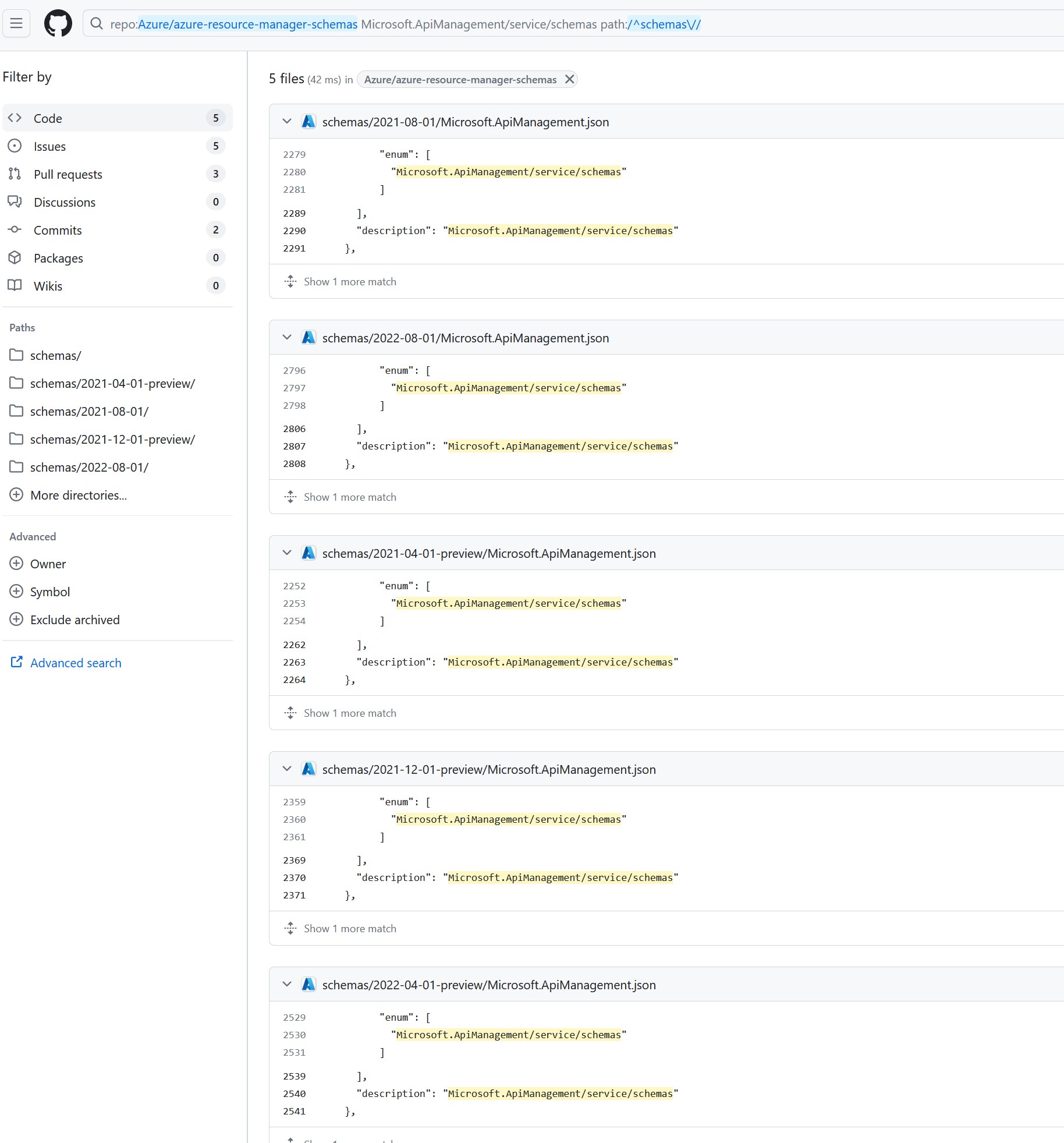
So in my case, I went over to that repo, and then typed a / to search through the whole repo. I searched for Microsoft.ApiManagement/service/apis/schemas which returned these 5 results:

Github search results

Which tells me that Microsoft.ApiManagement/service/apis/schemas is in 5 API versions:

  • 2021-08-01
  • 2022-08-01
  • 2021-04-01-preview
  • 2021-12-01-preview
  • 2022-04-01-preview.

So I should change my bicep to use one of those versions to make the Warning go away:


resource symbolicname 'Microsoft.ApiManagement/service/apis/schemas@2022-08-01' = {

It seems to me that there’s a bug in Microsoft’s documentation generator in that it suggested I use 2023-05-01-preview, since using that version generates a warning.

As a side note, no matter which version of Microsoft.ApiManagement/service/apis/schemas I used, I couldn’t get it to deploy the Definition to APIM. The deployment would run without errors, but the Definition never appeared in the APIM portal. So I ended up using Microsoft.ApiManagement/service/schemas@2022-08-01 instead:


resource propertySchema 'Microsoft.ApiManagement/service/schemas@2022-08-01' = {
  name: 'property-definition'
  parent: apimService
  properties: {
    description: 'Used to validate /property request'
    document: loadJsonContent('apim/create-property-schema.json')
    schemaType: 'json'
    value: any(null)
  }
}

which deploys the schema to a different location, but is an acceptable workaround for my needs – the validate-content APIM policy.